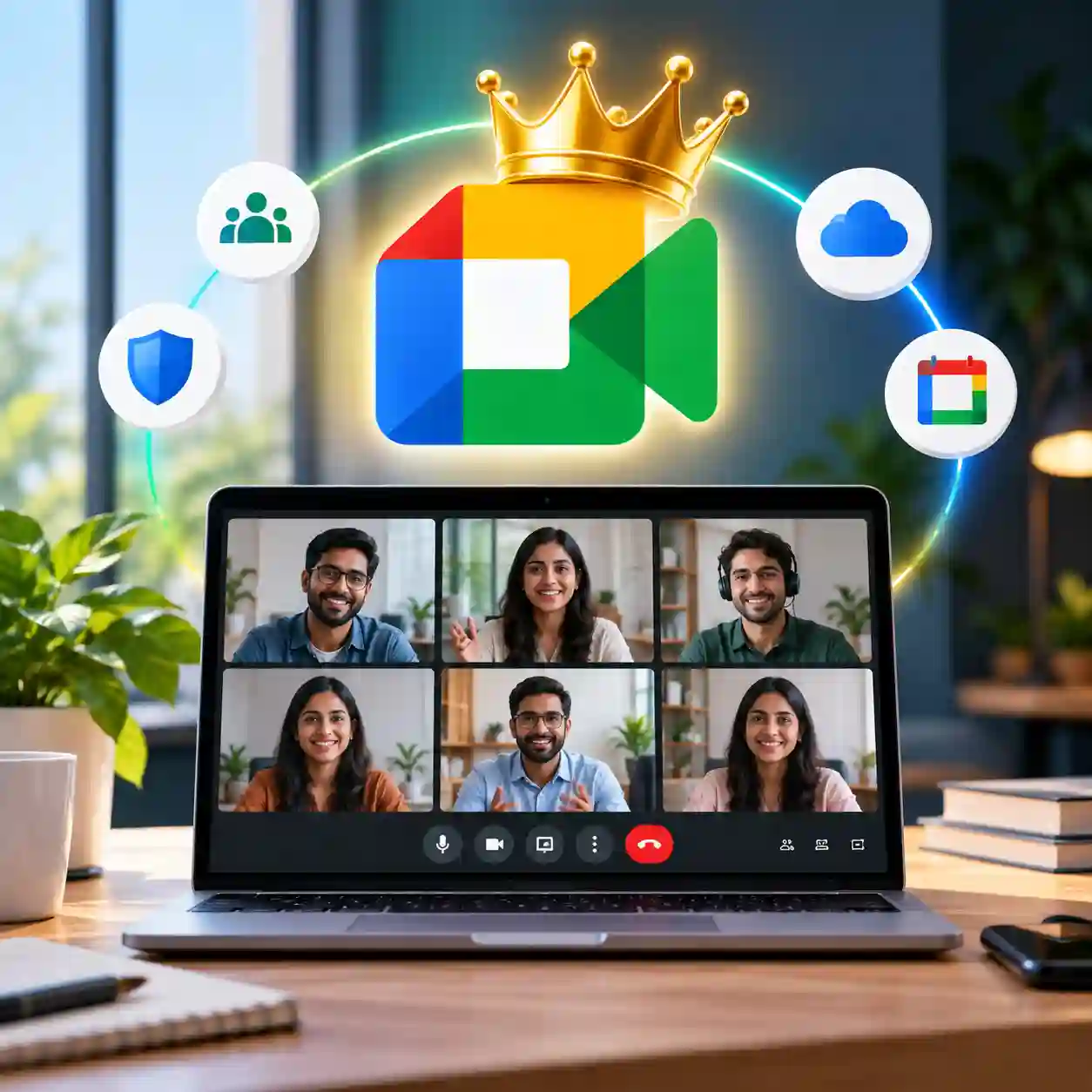
Google Meet Premium Reliable Video Meetings for Work, Business, and Online Collaboration
Looking for a reliable way to host online meetings, attend virtual classes, collaborate with your team, or communicate with clients without unnecessary interruptions? Google Meet is a popular video conferencing solution, but the features available to you may depend on your Google account and subscription plan.
Google Meet Premium is designed for users who want access to eligible premium meeting features for professional communication, online collaboration, and everyday productivity. Whether you are a freelancer, business owner, remote worker, educator, or student, the right Google Meet subscription can help make your online meetings more convenient and organized.
With this 1-month Google Meet Premium subscription from Prime Loom Host, you can explore eligible premium meeting capabilities according to the subscription plan provided. Depending on the plan and account eligibility, these capabilities may include extended meeting durations, larger meeting capacity, improved meeting management, noise cancellation, recording, and additional collaboration features.
Instead of struggling with meeting restrictions or relying on multiple communication tools, choose a video conferencing solution that fits your workflow and helps you stay connected.
Subscription Validity: 1 Month
Product Type: Digital Subscription
Available From: Prime Loom Host
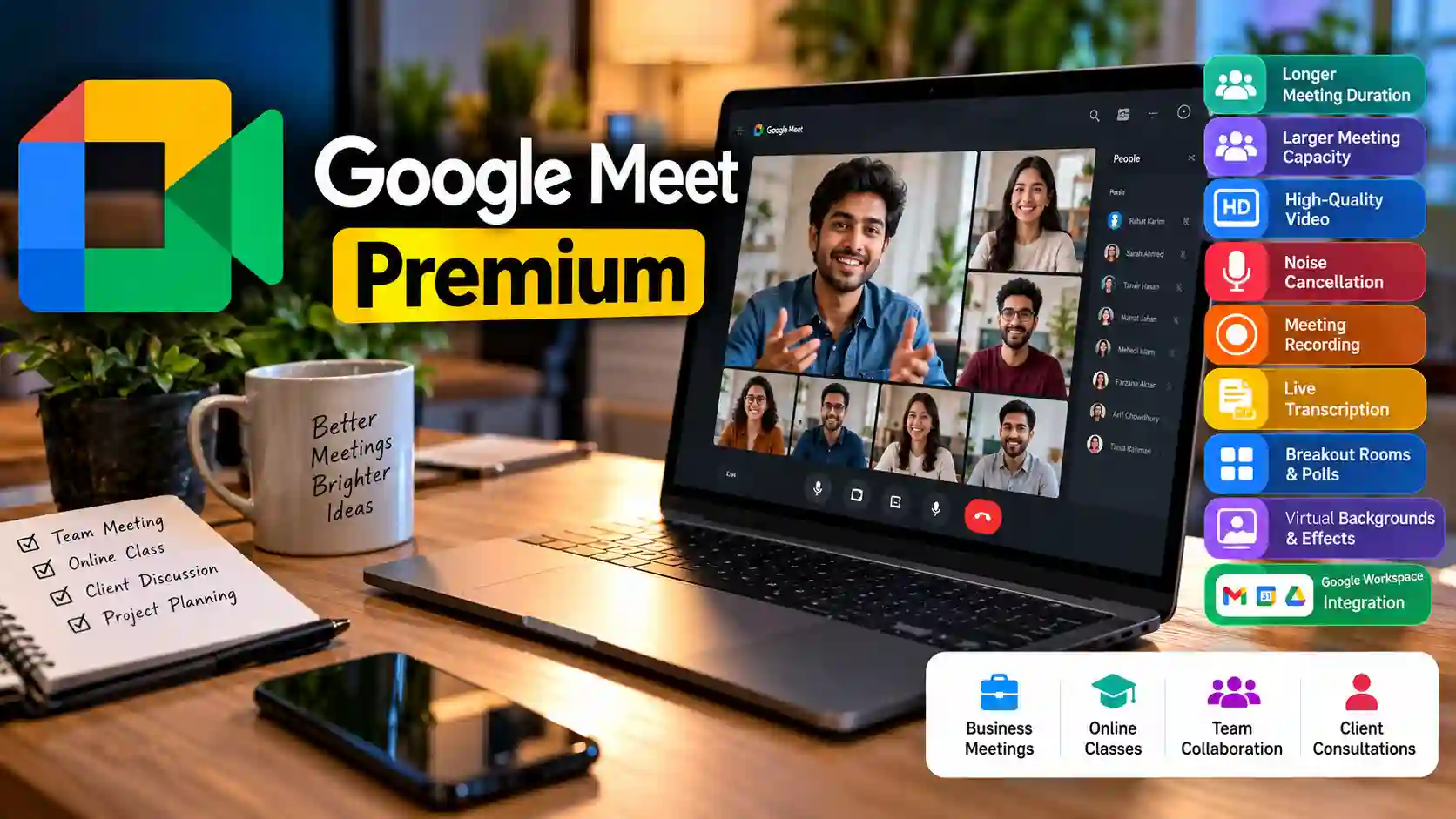
Google Meet Premium Highlights
Google Meet Premium Highlights
- 1-Month Subscription: Access the subscription for the specified one-month validity period.
- Online Video Meetings: Connect with colleagues, customers, students, friends, and clients.
- Extended Meeting Duration: Eligible paid plans offer longer meetings than the free service.
- High-Quality Video: Enjoy supported video quality according to your device, internet connection, and subscription eligibility.
- Larger Meeting Capacity: Some eligible Google Workspace plans support meetings with hundreds of participants.
- Noise Cancellation: Supported plans offer features that can help reduce distracting background noise.
- Meeting Recording: Recording is available on eligible plans and supported configurations.
- Transcription Features: Available where supported by the applicable plan, language, and account settings.
- Breakout Rooms and Polls: Eligible plans offer interactive tools for meetings, training, and group discussions.
- Virtual Backgrounds and Effects: Customize your appearance using supported background and visual options.
- Google Workspace Integration: Work with supported Google services, including Gmail and Google Calendar.
- Professional Communication: Useful for remote teams, online classes, business meetings, and client consultations.
Feature availability depends on the exact plan supplied with the subscription. Please confirm the included features before purchasing if you need a particular premium capability.
What Is Google Meet Premium?
Google Meet is Google’s video conferencing service for online meetings, video calls, and virtual collaboration. It allows people to communicate remotely using compatible computers, smartphones, tablets, and supported web browsers.
The free version is suitable for many everyday calls. However, users who regularly organize professional meetings may need additional capabilities, such as longer group meetings, expanded participant limits, recording, or advanced meeting controls.
Eligible paid Google Workspace subscriptions can provide access to additional Google Meet features. These features are particularly useful when online meetings are part of your daily work rather than an occasional activity.
Google Meet Premium is a convenient option to consider if you want a more capable meeting experience for your professional or personal workflow.
Why Choose a Google Meet Premium Subscription?
Host Longer Online Meetings
Meeting interruptions can be frustrating, especially when you are discussing important business matters, conducting interviews, teaching a class, or presenting a project.
Eligible paid Google Meet plans offer longer meeting durations than the free service. This can be helpful when your conversations require more time or when you regularly schedule extended group discussions.
You can plan your meetings around your work instead of having to restructure every discussion around a short time limit.
Keep in mind that the maximum duration depends on the applicable Google Meet plan and meeting configuration. A one-month subscription does not automatically guarantee unlimited meeting duration on every account.
Enjoy High-Quality Video Meetings
Video quality plays an important role in professional communication. Clear visuals can make presentations easier to follow and help participants communicate more naturally.
Google Meet supports different video quality levels depending on the device, connection, and account. Eligible plans may provide access to higher-quality video options, including 1080p where supported.
To get the best possible experience, use a compatible device, a reliable internet connection, and adequate lighting. Higher video quality also requires sufficient bandwidth and supported hardware.
For business presentations, remote interviews, online teaching, and client meetings, these factors can contribute to a more professional video calling experience.
Connect with Larger Groups
Sometimes a small meeting is not enough. Businesses need to organize team discussions, educators conduct online sessions, and organizations host group presentations involving many participants.
Certain Google Workspace plans support meetings with up to 500 participants. However, the actual participant limit varies by subscription tier and account eligibility.
If your work requires large meetings, confirm the participant capacity of the specific plan included in your purchase before placing your order.
With the appropriate plan, Google Meet can help teams and organizations bring more people together in one virtual meeting.
Reduce Background Noise
Unexpected background noise can make online conversations difficult. Traffic, keyboards, household sounds, and other distractions may affect how clearly participants hear you.
Google Meet offers noise cancellation on supported configurations and eligible plans. This feature can help reduce certain distracting sounds so participants can focus more easily on the conversation.
Noise cancellation does not eliminate every sound, and results may vary depending on the environment, microphone, and audio settings.
For remote workers, freelancers, online tutors, and professionals who frequently join calls from different locations, clearer audio can make meetings more comfortable.
Record Important Meetings
Some meetings contain information that you may need to review later. Examples include training sessions, client discussions, project planning, interviews, and educational presentations.
Google Meet recording is available on eligible plans and supported configurations. Where available, recording can help authorized users revisit important discussions instead of relying entirely on handwritten notes.
Recording availability, storage location, permissions, and access depend on the subscription, administrator settings, and Google account configuration.
Always obtain the necessary consent and follow applicable privacy rules before recording meetings.
Use Transcription and Meeting Assistance
For certain meetings, written records can be as useful as video recordings. Transcription features may help turn spoken discussions into text that participants can review later.
Eligible Google Workspace subscriptions may offer transcription or other meeting assistance capabilities, subject to plan availability, language support, account configuration, and administrator settings.
These tools can be helpful for teams that need to review discussions, document decisions, or keep track of meeting information.
Because AI and transcription features can change over time, confirm the availability of the specific feature you need before purchasing.
Make Meetings More Interactive
Online meetings are more effective when participants can contribute rather than simply listen.
Eligible Google Meet plans may include collaboration features such as breakout rooms and polls. These tools are useful for workshops, training sessions, online classes, and group discussions.
Breakout rooms allow a meeting organizer to divide participants into smaller groups where supported.
Live polls can help organizers collect responses, understand opinions, and encourage participation during supported meetings.
Feature availability may vary by plan and configuration, so check your subscription details if these tools are essential to your work.
Customize Your Meeting Appearance
A professional meeting environment can help you feel more prepared when speaking with clients, colleagues, or students.
Google Meet provides supported visual customization options, including backgrounds and effects. These can help you present yourself appropriately or reduce the visual distractions in your surroundings.
Available backgrounds, effects, and visual options may differ according to your device, browser, and account.
For remote professionals and online educators, these options can help create a more consistent video meeting experience.
Work More Efficiently with Google Services
One advantage of Google Meet is its integration with the broader Google ecosystem.
Depending on your account and configuration, you can use Google Calendar to schedule meetings and share joining information. Gmail can help you manage invitations and meeting-related communication, while other supported Google Workspace services can assist with your daily workflow.
For businesses and remote teams, keeping communication and scheduling connected can reduce unnecessary switching between applications.
Google Meet can fit into workflows involving client appointments, team check-ins, project discussions, interviews, online presentations, and educational sessions.
The exact integrations and administrative features available depend on your Google account and subscription.
Who Should Buy Google Meet Premium?
Business Owners and Entrepreneurs
Business owners often need to communicate with employees, suppliers, customers, and partners. A suitable Google Meet subscription can support more structured online meetings and remote collaboration.
Remote Workers and Distributed Teams
Remote employees rely on video calls to discuss projects, share updates, and coordinate work. Eligible premium features can help support longer meetings and team communication.
Teachers and Online Tutors
Online educators may use Google Meet to conduct lessons, organize group discussions, and communicate with students. The appropriate subscription can be useful when meeting duration or participant capacity is important.
Freelancers and Consultants
Freelancers often meet clients virtually to discuss requirements, explain deliverables, and provide updates. A dependable video conferencing service can help create a more professional client experience.
Students and Study Groups
Students can use Google Meet for group projects, discussions, and remote study sessions. If premium capabilities are required, verify that the supplied subscription supports the intended use.
Content Creators and Online Communities
Creators may use video meetings for interviews, planning, collaborations, and discussions with team members. Google Meet can support these workflows when the relevant features are available.

Why Purchase Google Meet Premium from Prime Loom Host
Why Purchase Google Meet Premium from Prime Loom Host?
Choosing a digital subscription should involve more than comparing prices. Buyers also need clear information about the product, its validity, and the features they can expect to receive.
Prime Loom Host offers this Google Meet Premium subscription with a one-month validity period.
Before purchasing, review the product details and confirm the subscription arrangement, account requirements, and included plan. This is especially important if you need a specific participant limit, recording functionality, transcription, or other advanced meeting tools.
A clear understanding of the subscription helps you choose the right option for your work and avoid paying for features that do not match your requirements.
Important Information Before You Order
Please review the following points before purchasing:
- Validity: The listed subscription duration is one month.
- Feature Availability: Premium features depend on the exact Google Workspace or Google Meet subscription provided.
- Meeting Duration: Longer meeting limits are plan-dependent; unlimited duration is not guaranteed for every subscription.
- Participant Capacity: A 500-person meeting limit applies only to eligible plans and configurations.
- 1080p Video: Availability depends on the plan, device, bandwidth, and supported settings.
- Recording and Transcription: These features require an eligible plan and may be affected by account permissions and administrator settings.
- Internet Connection: A stable connection is necessary for reliable video meetings.
- Account Requirements: Account setup and subscription activation requirements should be confirmed before ordering.
- Renewal: The subscription is valid for one month. Any renewal or extension should be confirmed separately.
- Google Policies: Use the service according to Google’s current terms and applicable account policies.
If a particular premium feature is essential to your workflow, contact Prime Loom Host before purchasing to confirm that it is included in the offered subscription.
Frequently Asked Questions (FAQ)
What is Google Meet Premium?
Google Meet Premium refers to access to paid Google Meet capabilities through an eligible subscription. Depending on the plan, these capabilities may include extended meetings, larger participant limits, recording, and other collaboration tools.
How long is this subscription valid?
The subscription listed on Prime Loom Host has a validity period of one month.
Does Google Meet Premium support unlimited meeting duration?
Eligible paid plans offer longer meeting durations than the free service. However, meeting limits depend on the specific subscription. Confirm the supplied plan before purchasing if extended meeting duration is important to you.
Can I host a meeting with 500 participants?
Some eligible Google Workspace plans support up to 500 participants. This limit is not available on every plan, so verify the exact subscription included in your order.
Does the subscription include Full HD 1080p video?
1080p video is available only under supported conditions and eligible account configurations. Device capability, internet bandwidth, and plan availability can affect access to this feature.
Can I record Google Meet sessions?
Meeting recording is available on eligible plans and supported configurations. Access and storage depend on the subscription, account permissions, and administrator settings.
Is noise cancellation available?
Google Meet provides noise cancellation on supported configurations and eligible plans. The effectiveness of noise reduction depends on the surrounding environment and audio equipment.
Does Google Meet Premium include breakout rooms and polls?
These features are available on eligible configurations. Their availability should be confirmed against the exact plan provided with the subscription.
Can I use Google Meet on my phone?
Google Meet supports compatible smartphones and tablets, as well as supported desktop browsers. Your experience and available features may vary by device and account.
Is this a physical product?
No. This is a digital subscription. There is no physical item to ship.
Will my subscription renew automatically?
Renewal arrangements depend on the subscription setup. Confirm the renewal terms with Prime Loom Host before ordering rather than assuming automatic renewal.
What should I do if I need a specific premium feature?
Contact Prime Loom Host before purchasing and explain which feature you need. Confirming plan eligibility in advance helps ensure the subscription matches your requirements.
Final Verdict: Is Google Meet Premium Worth It?
If you regularly attend online meetings, teach virtual classes, collaborate with remote teams, or communicate with clients, Google Meet can be a practical tool for everyday communication.
A suitable premium subscription may provide additional meeting capabilities that support longer discussions, larger groups, recording, noise reduction, and collaboration. However, these benefits depend on the specific plan and account eligibility rather than the product name alone.
The Google Meet Premium offer from Prime Loom Host provides a one-month subscription period, making it an option to consider if you need paid meeting capabilities for a limited period.
Review the subscription details, confirm the features you need, and choose the option that best matches your workflow.
Get your Google Meet Premium subscription from Prime Loom Host and make your online meetings more organized, productive, and convenient.
Related products
Figma Professional Subscription
Original price was: 2,468৳ .1,580৳ Current price is: 1,580৳ .

Google AI Ultra Subscription
Original price was: 38,500৳ .25,750৳ Current price is: 25,750৳ .