Premium Templates, AI Design Tools & Professional Graphics
Create professional designs without spending hours editing or hiring a designer for every project. Canva Pro gives you access to premium design resources, advanced editing tools, AI-powered features, and convenient brand management tools to help you create better visual content for your business, social media, and everyday projects.
Whether you design Facebook posts, YouTube thumbnails, Instagram stories, business banners, presentations, advertisements, or marketing materials, Canva Pro helps simplify your workflow. With a large library of templates, photos, videos, graphics, and useful design features, you can spend less time building layouts from scratch and more time developing creative ideas.
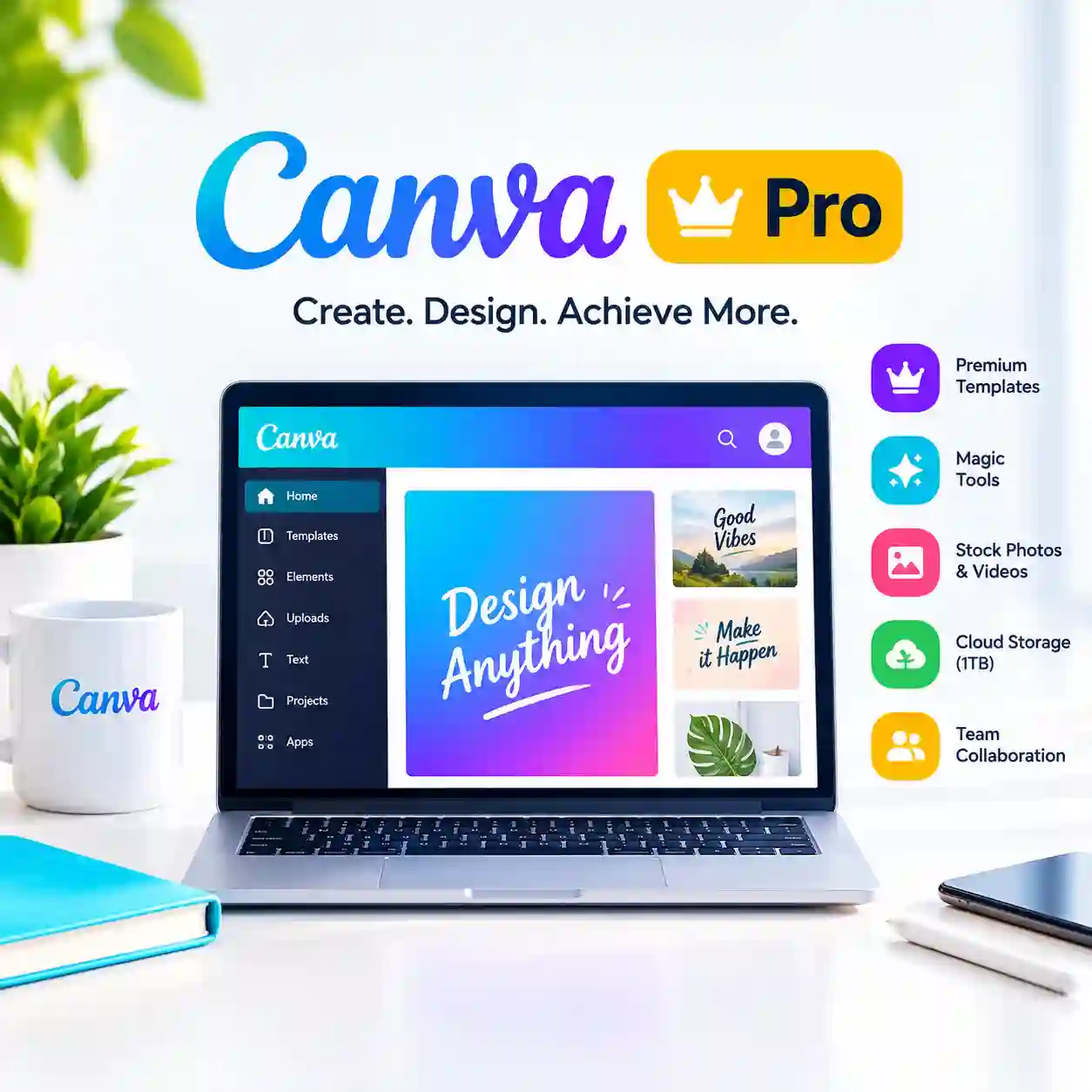
Canva Pro Subscription Highlights
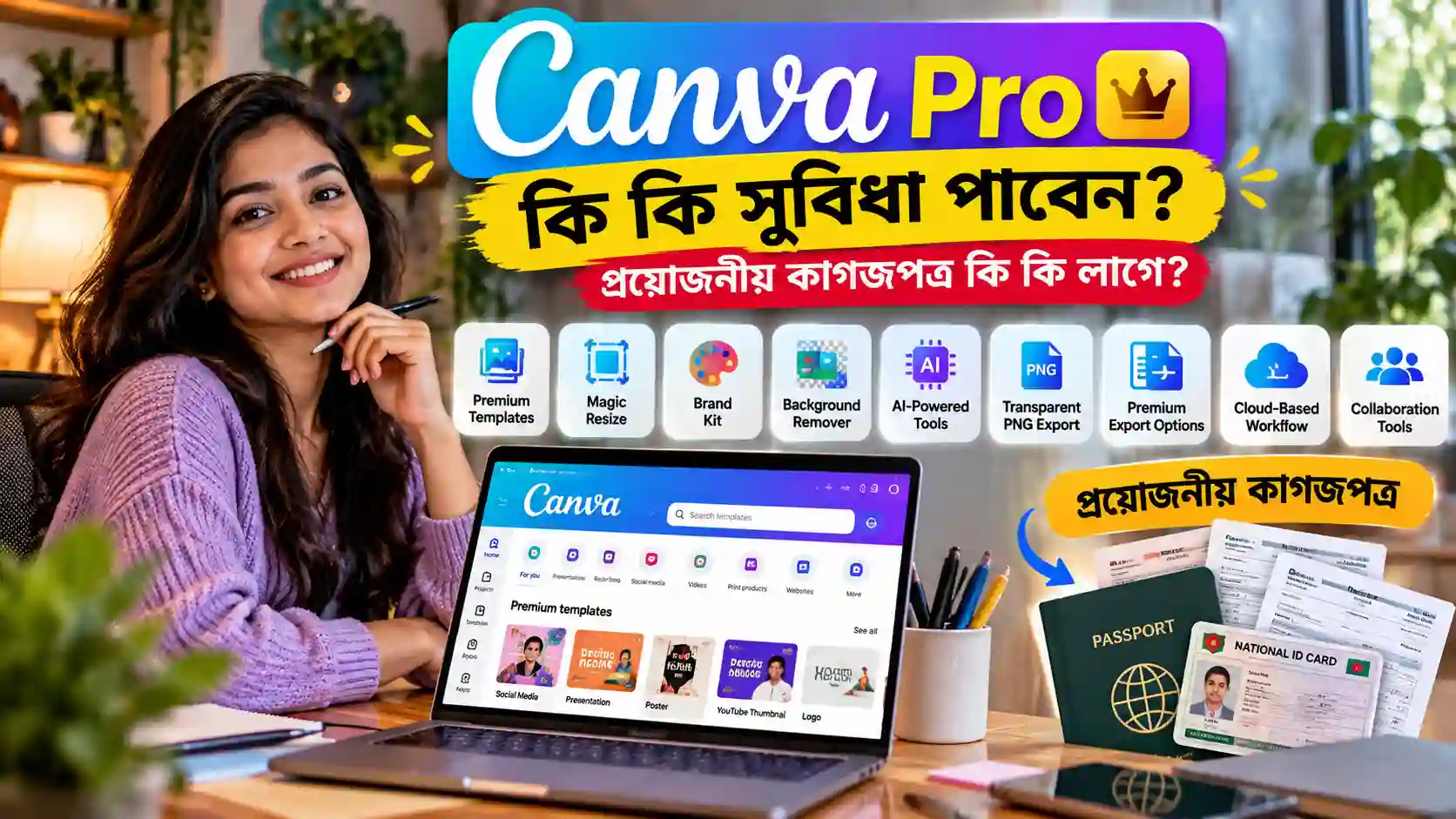
- Premium Templates & Design Assets: Access a wide selection of premium templates, stock photos, videos, illustrations, and graphics.
- Magic Resize: Adapt supported designs to different formats and dimensions more quickly.
- Brand Kit: Keep your brand colors, fonts, and logos organized for a consistent visual identity.
- Background Remover: Remove backgrounds from supported images to create cleaner product photos, promotional graphics, and social media designs.
- AI-Powered Design Tools: Use available Canva AI features to support image creation, writing, editing, and other creative tasks.
- Transparent PNG Export: Download supported designs with transparent backgrounds when needed.
- Premium Export Options: Export designs in supported formats, including PNG, JPG, PDF, and SVG where available.
- Cloud-Based Workflow: Access and manage your designs online without installing traditional desktop design software.
- Collaboration Tools: Share designs, collect feedback, and collaborate using supported sharing and commenting features.
Feature availability may vary by plan, account, region, and Canva’s current product policies.
Canva Pro Subscription Highlights
Why Choose Canva Pro for Your Creative Work?
Creating quality graphics can take more time than expected. Finding suitable images, adjusting layouts, selecting fonts, matching colors, and preparing files for different platforms can quickly become repetitive.
Canva Pro helps bring many of these tasks together in one online design platform. Instead of searching across multiple websites for every visual asset, you can work with available premium resources directly inside Canva.
For example, a digital marketer preparing a campaign may need a Facebook advertisement, an Instagram story, a promotional banner, and a presentation. Canva Pro provides templates and tools that can help make these materials easier to produce and maintain a consistent appearance.
You do not need to be an experienced graphic designer to get started. Beginners can work from ready-made templates, while experienced creators can customize layouts, refine details, and develop their own design styles.
Premium Templates for Faster Design Creation
Starting with a blank page can be difficult, particularly when you need to publish content regularly. Canva Pro offers access to premium templates for many types of creative projects.
Depending on the available template library, you can find designs for:
- Social media posts and stories
- YouTube thumbnails and channel graphics
- Business cards and promotional banners
- Marketing advertisements
- Presentations and reports
- Invitations, posters, and flyers
- Educational materials and worksheets
- Product promotions and online store graphics
Templates provide a starting point rather than a finished solution for every project. You can adjust the text, images, colors, and layout to suit your brand and audience.
This makes Canva Pro especially useful for creators who need fresh designs frequently without rebuilding every project from the beginning.
Create Better Social Media Content
Consistent visual content plays an important role in social media marketing. Your posts need to communicate the message clearly, reflect your brand, and look appropriate on the platform where they appear.
Canva Pro can help you prepare content for Facebook, Instagram, LinkedIn, Pinterest, YouTube, and other supported platforms.
Use templates to create promotional posts, product announcements, event graphics, video covers, stories, and campaign visuals. You can also adapt your designs for different dimensions using available resizing tools.
For businesses, this can make it easier to maintain a recognizable visual style across marketing channels. For individual creators, it can help reduce the time spent preparing content for regular publishing.
Magic Resize for Multiple Design Formats
A design created for one platform may not fit another platform’s dimensions. Rebuilding it manually can take extra time and may introduce inconsistencies.
Canva Pro includes Magic Resize and related resizing capabilities that can help adapt supported designs to other formats.
For example, you may want to repurpose a promotional graphic into a story, a banner, or another social media format. Resizing tools can help speed up the process, although some designs may still require manual adjustments to text, images, and spacing.
This is particularly useful for marketing teams and creators who reuse campaign visuals across multiple channels.
Brand Kit for Consistent Business Branding
A recognizable brand depends on consistency. Using different colors, fonts, and logo placements across every design can make a business look less organized.
Canva Pro’s Brand Kit helps keep important brand elements together, including supported logos, colors, and fonts.
Once your brand assets are organized, you can use them when creating new graphics and marketing materials. This is helpful for small businesses, online sellers, freelancers, agencies, and content teams that produce designs regularly.
For example, an online store can maintain a consistent appearance across product promotions, discount announcements, social media posts, and advertising creatives.
Available Brand Kit features depend on the subscription plan and current Canva terms.
Background Remover and Advanced Photo Editing
Product images, profile photos, and promotional graphics often look better when distracting backgrounds are removed.
Canva Pro includes a Background Remover tool for supported images. This can help isolate a product or subject and place it against a cleaner background.
You can use the result for product promotions, online store graphics, social media content, presentation visuals, and other creative materials.
Canva also provides photo-editing tools that can help adjust images and improve the appearance of your designs. The exact editing options available depend on the feature, account, and current service offering.
These tools are useful for everyday design work, although they are not a complete replacement for every specialized photo-editing application.
AI-Powered Design Tools for New Ideas
Sometimes the hardest part of creating a design is deciding how it should look. AI-powered features can help you explore ideas, prepare content, and work through certain creative tasks.
Depending on your account and the features currently available, Canva’s AI tools may support activities such as generating images, assisting with writing, editing visuals, and developing design concepts.
These features can be useful when creating campaign ideas, social media graphics, presentations, or visual concepts for clients.
AI results may require editing before publication. Review generated content for accuracy, visual quality, brand suitability, and any applicable copyright or commercial-use restrictions.
AI feature availability and usage limits can vary by plan and may change over time.
Premium Photos, Videos, and Graphics in One Place
Finding suitable visual assets can be time-consuming. Canva Pro provides access to an expanded library of premium content, including stock photos, videos, illustrations, and graphic elements.
These resources can help you build designs without sourcing every individual asset from a separate website.
For example, a marketer can use available stock visuals in a campaign graphic, while a video creator can incorporate suitable design elements into a promotional project.
Always check the licensing terms for your intended use. Access to an asset through Canva does not automatically mean it can be redistributed independently or used in every possible way.
Transparent Backgrounds and Flexible File Export
Different projects require different file formats. A logo may need a transparent background, while a presentation or printable document may require a PDF.
Canva Pro supports useful export options for supported designs, including transparent PNG downloads and additional file formats where available.
These options can help when preparing logos, overlays, product graphics, promotional materials, presentations, and print-ready documents.
Before exporting, check the intended platform’s size and file requirements. Some formats and export settings are available only for particular design types or subscription plans.
Who Should Buy Canva Pro?
Canva Pro is suitable for a wide range of users who create visual content regularly.
Content Creators and YouTubers: Create thumbnails, channel graphics, video covers, and social media visuals.
Digital Marketers: Prepare advertisements, promotional graphics, and campaign materials.
Freelancers and Designers: Develop client presentations, marketing assets, and visual concepts.
Small Business Owners: Create business banners, product promotions, menus, flyers, and branded posts.
E-commerce Sellers: Prepare product graphics, discount announcements, and online store marketing materials.
Teachers and Students: Design presentations, worksheets, educational graphics, and other learning materials.
Agencies and Teams: Maintain consistent branding and collaborate on supported design projects.
Canva Pro is particularly useful if you create designs frequently and want premium resources and advanced tools in one place.

Who Should Buy Canva Pro
Canva Pro vs. Canva Free
Canva Free is a useful starting point for basic design work. However, users who regularly create professional content may benefit from the additional resources and features offered by Canva Pro.
| Feature | Canva Free | Canva Pro |
|---|---|---|
| Basic design editor | Available | Available |
| Free templates and assets | Available | Available |
| Premium templates and content | Limited access | Expanded access |
| Background Remover | Not generally included | Available for supported workflows |
| Brand Kit | Limited or unavailable, depending on feature | Expanded brand management |
| Magic Resize | Limited or unavailable, depending on feature | Available for supported workflows |
| Premium stock content | Limited access | Expanded access |
| Transparent background export | Limited availability | Available for supported export settings |
| AI features | Availability varies | Expanded access may be available |
| Cloud-based design workflow | Available | Available |
Canva’s features, plan names, usage limits, and entitlements can change. Check the current plan details before purchasing if you need a specific tool.
Why Buy Canva Pro from Prime Loom Host?
Choosing a digital subscription should involve more than comparing prices. Customers also need clear product information, convenient payment options, and support if they encounter an issue.
Prime Loom Host offers Canva Pro as a digital subscription for customers who want access to premium design features.
Here are some of the service benefits offered by Prime Loom Host:
- Convenient Digital Ordering: Purchase your subscription online without visiting a physical store.
- Quick Delivery: Subscription delivery is intended to be prompt, subject to order verification and the selected subscription arrangement.
- Competitive Pricing: Access a digital subscription at a price suited to your budget.
- Bangladesh-Friendly Payment Options: Supported payment methods include bKash, Nagad, Rocket, and Upay, subject to availability at checkout.
- Binance Pay: An additional payment option for eligible customers, where supported.
- After-Sales Assistance: Contact Prime Loom Host if you need help with an order or a subscription-related issue.
Before purchasing, review the product listing to confirm the subscription duration, account arrangement, activation method, warranty terms, and any applicable restrictions. Do not assume that a particular account type or subscription duration is included unless it is explicitly stated in the offer.
Important Things to Know Before Ordering
Canva Pro is a digital subscription, not a physical product. Access depends on the subscription being activated or assigned according to the selected offer.
Some features may have separate usage limits or eligibility requirements. Canva may also change its subscription terms, AI features, storage arrangements, or licensing policies over time.
For business and commercial projects, review Canva’s current content licensing terms and the permissions associated with the assets you use.
If you need Canva Pro for a team, confirm whether your selected offer supports individual or team use. Personal and team subscriptions may have different capabilities and account arrangements.
Frequently Asked Questions
What is Canva Pro?
Canva Pro is a paid subscription that provides access to premium design resources and additional features for creating graphics, presentations, marketing materials, and other visual content.
Is Canva Pro suitable for beginners?
Yes. Beginners can start with templates and gradually learn to customize layouts, colors, fonts, and images. More experienced users can use advanced tools to refine their workflow.
Can I create YouTube thumbnails with Canva Pro?
Yes. You can create and customize YouTube thumbnails using available templates, images, graphics, text tools, and supported export options.
Does Canva Pro include AI tools?
Canva offers AI-powered features, and some are available through paid plans. Specific tools, usage limits, and availability depend on your subscription and Canva’s current policies.
Can I remove image backgrounds?
Canva Pro includes a Background Remover for supported images. Results may vary depending on the image and the subject.
Can I download designs with transparent backgrounds?
Yes, transparent PNG export is available for supported designs and export settings.
Which payment methods does Prime Loom Host support?
Supported methods may include bKash, Nagad, Rocket, Upay, and Binance Pay. Confirm the options displayed at checkout before placing your order.
How quickly will I receive my subscription?
Prime Loom Host aims to provide quick digital delivery. The exact delivery time and activation process depend on the selected offer and order verification.
Can I use Canva Pro for commercial designs?
Commercial use depends on Canva’s current licensing terms and the specific content involved. Review the applicable permissions before using assets in advertising, client projects, merchandise, or other commercial work.
Is Canva Pro a one-time purchase?
Canva Pro is a subscription service. Its validity and renewal arrangements depend on the specific offer you purchase.
Get Started with Canva Pro
Create better-looking social media posts, YouTube thumbnails, business banners, presentations, and marketing graphics with access to premium design resources and useful creative tools.
If you regularly produce visual content for your business, clients, or personal projects, Canva Pro can help simplify your design workflow and give you more options for bringing your ideas to life.
Order Canva Pro from Prime Loom Host and take the next step toward creating professional visual content with greater convenience.
Related products
Adobe Creative Cloud Subscription
Price range: 2,100৳ through 3,550৳
Buy Microsoft Copilot Pro Subscription
Original price was: 4,820৳ .3,550৳ Current price is: 3,550৳ .
OTT Bangla Premium A TV App
Price range: 199৳ through 210৳