Adobe Premiere Pro 2024
550৳
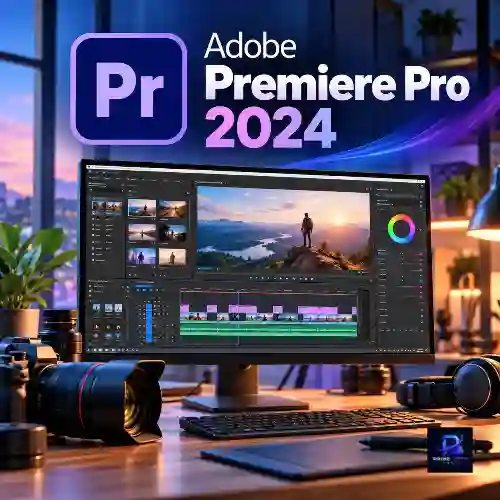
Adobe Premiere Pro 2024 is a professional video editing application designed for creators who need timeline-based editing, color correction, audio mixing, and flexible video export options. The Prime Loom Host listing advertises pre-activated software for a one-time payment of ৳550. AI features are not included in this offer. Buyers should verify system compatibility, activation details, license terms, and continued-access conditions before purchasing.
Description
Want to create professional-quality videos without spending a large amount on video editing software? Whether you are a YouTuber, freelancer, student, filmmaker, or social media content creator, Adobe Premiere Pro 2024 gives you the tools to edit videos, improve colors, refine audio, and turn raw footage into polished content.
Finding a suitable video editor can be challenging. Some applications have limited editing features, while others require expensive recurring subscriptions. If you want a familiar professional editing environment with a timeline-based workflow, Adobe Premiere Pro 2024 is worth considering.
At Prime Loom Host, you can get this software for just ৳550 with a one-time payment, according to the product offer. The advertised pre-activated setup is intended to make getting started easier, so you can focus on your video projects instead of spending unnecessary time on complicated setup procedures.
From trimming clips for YouTube to editing promotional videos for your business, Premiere Pro provides a flexible workspace for a wide range of creative projects. Its timeline editing tools, Lumetri Color panel, audio controls, and integration with other Adobe applications make it a useful choice for creators who want greater control over their videos.
Please note: This product offering does not include the AI features associated with eligible Adobe Creative Cloud plans and newer AI-enabled workflows. If AI-powered tools are important to your work, consider the Adobe Creative Cloud subscription available from Prime Loom Host.
Why Choose Adobe Premiere Pro 2024?
Choosing video editing software is not just about the number of features. You also need an application that fits your workflow, supports your creative goals, and works with your computer.
Adobe Premiere Pro 2024 offers a professional editing environment where you can organize footage, make precise cuts, adjust colors, work with audio, and export finished videos. Instead of switching between multiple basic applications, you can manage many essential editing tasks in one workspace.
Here are some reasons to consider this version:
- Professional timeline editing: Arrange video, audio, images, titles, and other elements on a multitrack timeline.
- Precise trimming and cutting: Remove unwanted footage and refine the timing of your edits.
- Lumetri Color tools: Adjust exposure, contrast, saturation, and other color properties.
- Audio editing controls: Balance dialogue, music, and sound effects for a more polished result.
- Creative flexibility: Work on YouTube videos, advertisements, tutorials, interviews, and personal projects.
- Adobe application integration: Connect your editing workflow with compatible applications such as After Effects, Photoshop, and Audition.
- Budget-friendly offer: Get the advertised product for ৳550 with a one-time payment.
- Pre-activated setup: The product is advertised as pre-activated. Confirm the activation method and usage conditions before ordering.
Adobe Premiere Pro 2024 Key Features
1. Professional Timeline-Based Video Editing
The timeline is the foundation of Premiere Pro’s editing workflow. It allows you to arrange video clips, audio tracks, images, titles, and other media in the order you want.
You can cut, trim, split, move, and rearrange clips to build a complete video. Multiple tracks make it possible to layer footage, add background music, insert voiceovers, and combine different visual elements.
Frame-level editing control is especially useful when you need precise timing. For example, you can remove unnecessary pauses from a tutorial, synchronize a voiceover with on-screen actions, or create smooth transitions between different scenes.
Whether you are editing a short social media video or a longer YouTube project, the timeline provides the flexibility to shape your footage according to your creative vision.
2. Lumetri Color for Professional Color Correction
Good color can make a video look more consistent, engaging, and polished. Adobe Premiere Pro 2024 includes Lumetri Color tools that help you adjust the appearance of your footage.
You can work with exposure, contrast, highlights, shadows, white balance, saturation, and other color settings. These controls are useful when footage looks too dark, has an unwanted color cast, or contains noticeable differences between shots.
Color correction helps bring clips closer to a natural and consistent appearance. Color grading, on the other hand, allows you to develop a particular visual style for your project.
Premiere Pro also offers color-matching workflows that can help create a more consistent look across compatible shots. The final result depends on the source footage, lighting conditions, and your adjustments.
For creators who want more control over the visual quality of their videos, Lumetri Color is an important part of the editing experience.
3. Audio Editing and Sound Mixing
Clear audio is essential for an effective video. Even well-shot footage can feel unprofessional when dialogue is difficult to hear or background music is too loud.
Premiere Pro provides audio editing controls that help you organize and refine the sound in your project. You can adjust audio levels, arrange dialogue and music on separate tracks, trim unwanted sections, and balance different sound elements.
This is particularly helpful when creating interviews, online courses, product demonstrations, promotional videos, and YouTube content.
For more advanced audio production, Premiere Pro can work with Adobe Audition through compatible workflows. This allows creators to use specialized audio tools when their projects require additional sound editing.
4. Integration with Adobe Creative Applications
A video project often requires more than video editing alone. You may need custom graphics, animated titles, image adjustments, or detailed audio processing.
Premiere Pro supports workflows with other Adobe applications, including:
Adobe After Effects: Create motion graphics, visual effects, animated titles, and other visual elements through compatible workflows.
Adobe Photoshop: Prepare images, thumbnails, graphics, and layered visual assets for your video projects.
Adobe Audition: Perform additional audio editing and sound refinement when needed.
These integrations can reduce the need to rebuild creative assets from scratch. Availability and functionality depend on the applications, versions, and licenses you have installed.
Please remember that purchasing this Premiere Pro product does not automatically include separate paid Adobe applications.
5. Create Videos for YouTube and Social Media
Content creators need editing software that can handle different types of projects. Premiere Pro can be used to produce videos for a variety of platforms and purposes.
You can create:
- YouTube videos and video essays
- Facebook videos and promotional content
- Instagram Reels and other short-form videos
- TikTok-style vertical videos
- Online tutorials and educational lessons
- Product reviews and demonstrations
- Business advertisements and presentations
- Interviews, vlogs, and personal video projects
You can arrange your footage, add titles, refine the sound, adjust colors, and export a finished video according to the requirements of your intended platform.
The final output quality depends on your source footage, project settings, export settings, and the capabilities of your computer.
6. Flexible Video Export Options
After completing your edit, you need to export a finished video in a suitable format. Premiere Pro includes export workflows that let you configure output settings for different delivery requirements.
Depending on your project and available settings, you can select options such as resolution, frame rate, video format, and bitrate.
For example, a creator preparing a YouTube video may prioritize image quality and an appropriate resolution, while someone creating a short social media clip may focus on vertical dimensions and manageable file size.
Choosing the right export settings helps balance visual quality, compatibility, and storage requirements.
Adobe Premiere Pro 2024 Price in Bangladesh
If you are searching for the Adobe Premiere Pro 2024 price in Bangladesh, Prime Loom Host offers this product at an advertised price of just ৳550.
Instead of paying a large amount upfront for this particular offer, you can make a one-time payment for the advertised product.
Product Pricing Details
| Product Detail | Information |
|---|---|
| Product | Adobe Premiere Pro 2024 |
| Price | ৳550 |
| Payment | One-time payment |
| Product Type | Digital software |
| Activation | Advertised as pre-activated |
| AI Features | Not included |
| Store | Prime Loom Host |
What does one-time payment mean?
For this offer, one-time payment means the listed price is paid once for the product being sold. It should not automatically be interpreted as an official Adobe lifetime license, a lifetime subscription, or a guarantee of unlimited future updates.
Before purchasing, check the product’s activation method, usage rights, device limit, and any conditions that apply to continued access.
Does Adobe Premiere Pro 2024 Include AI Features?
No. The Premiere Pro 2024 product offered here does not include the AI features advertised for the separate Creative Cloud offering.
This is an important distinction for buyers who specifically want AI-powered editing tools.
Adobe has introduced AI-related capabilities across its creative software products and versions. However, the availability of individual features depends on the application version, subscription, supported hardware, region, and other requirements.
If your main goal is to use AI-assisted video editing features, the Premiere Pro 2024 offer described on this page may not meet your needs.
Instead, explore the Adobe Creative Cloud subscription offered by Prime Loom Host:
Explore Adobe Creative Cloud Subscription
Review the included applications, supported AI features, subscription terms, and activation conditions before choosing a plan.
Who Should Buy Adobe Premiere Pro 2024?
Adobe Premiere Pro 2024 may be suitable for users who want a professional-style video editing environment without a complicated editing workflow.
YouTube Content Creators
Edit vlogs, tutorials, reviews, commentary videos, and other channel content. Organize footage, remove unnecessary sections, add music, and prepare your final video for publishing.
Freelance Video Editors
Work on client projects such as promotional videos, interviews, social media content, and basic commercial edits. Your computer’s performance and the requirements of each project will determine how comfortably you can work.
Students and Beginners
Learn timeline editing, basic color correction, audio mixing, and video export. Beginners should allow some time to become familiar with the interface and editing tools.
Small Businesses and Entrepreneurs
Create product demonstrations, advertisements, training videos, and branded content without outsourcing every editing task.
Experienced Editors
Use the familiar Premiere Pro workflow for compatible editing projects. However, check whether the 2024 version supports the codecs, plugins, features, and collaboration requirements used in your existing workflow.
System Requirements and Compatibility
Before ordering Adobe Premiere Pro 2024, make sure your computer can run the software comfortably.
Video editing performance depends on several factors, including your processor, memory, graphics hardware, storage, footage resolution, and project complexity.
For a smoother editing experience, consider the following:
- Operating system: Confirm that your Windows version is supported by the specific Premiere Pro 2024 build being supplied.
- Processor: A compatible modern processor is recommended for editing and exporting video.
- RAM: More memory is helpful when working with high-resolution footage, multiple tracks, and demanding effects.
- Graphics hardware: A compatible GPU can improve performance in supported accelerated workflows.
- Storage: Keep sufficient free space for installation, source footage, cache files, and exported videos.
- Display: A suitable display helps you review footage, inspect details, and make color adjustments.
The exact requirements can vary by software build and project type. Please confirm the supplied version’s compatibility before purchasing, especially if you use an older computer.
For the most accurate technical information, consult Adobe’s official Premiere Pro system requirements for the relevant version.
Why Buy from Prime Loom Host?
Prime Loom Host offers digital products for customers looking for software and subscription solutions at accessible prices.
With this Adobe Premiere Pro 2024 offer, you can review the product details, understand its limitations, and decide whether it fits your editing needs before placing an order.
What you can expect from this listing:
- A clearly displayed price of ৳550
- A one-time payment offer
- A product advertised as pre-activated
- A description of the included editing capabilities
- Clear information about the absence of AI features
- A separate Creative Cloud option for customers who need AI-related capabilities
Before completing your purchase, read the product terms and confirm the activation process, supported device, and access conditions.
Important product information: The term “virus-free” is part of the seller’s product description. Buyers should still download and install software from trusted sources, verify the installer, and scan files using reputable security software. No software download can be guaranteed safe without reliable verification.
How to Order Adobe Premiere Pro 2024
Getting started with your purchase is straightforward.
- Review the product description, price, compatibility information, and activation conditions.
- Visit the Adobe Premiere Pro 2024 product page on Prime Loom Host.
- Add the product to your cart and proceed to checkout.
- Complete your payment using an available payment method.
- Follow the delivery and installation instructions supplied with your order.
- Confirm that the software works correctly on your compatible computer.
If you have questions about activation, installation, or device compatibility, contact Prime Loom Host before placing your order.
Ready to start editing? Get Adobe Premiere Pro 2024 for the advertised one-time price of ৳550 from Prime Loom Host.
Frequently Asked Questions (FAQ)
1. What is the price of Adobe Premiere Pro 2024 in Bangladesh?
The advertised price of Adobe Premiere Pro 2024 at Prime Loom Host is ৳550. According to the offer, this is a one-time payment. Check the product page for the current price and any applicable terms before ordering.
2. Is Adobe Premiere Pro 2024 a one-time purchase?
Prime Loom Host advertises this product for a one-time payment of ৳550. The exact license type and usage rights depend on the product supplied. A one-time payment for this listing should not automatically be considered an official lifetime Adobe license.
3. Is Adobe Premiere Pro 2024 pre-activated?
Yes, the product is advertised as pre-activated. Confirm how activation is provided, whether an Adobe account is required, and what conditions apply before purchasing.
4. Is Adobe Premiere Pro 2024 virus-free?
The seller describes the product as virus-free. However, that claim cannot be independently guaranteed without testing the exact installer and its source. For safety, use trusted installation files and scan them with reputable antivirus software.
5. Does this version include AI features?
No. The product described on this page does not include the AI features associated with the separate Adobe Creative Cloud offering. Check the Creative Cloud product page if AI-assisted tools are essential to your workflow.
6. Can I use Adobe Premiere Pro 2024 for YouTube videos?
Yes. Premiere Pro is commonly used for editing YouTube videos, tutorials, reviews, vlogs, interviews, and other content. You can trim clips, add music, adjust colors, and export your finished video.
7. Can beginners use Premiere Pro 2024?
Yes. Beginners can learn Premiere Pro by starting with basic tasks such as importing footage, arranging clips, trimming a timeline, adding audio, and exporting a video. More advanced features may require practice.
8. Does Premiere Pro 2024 support color grading?
Yes. Premiere Pro 2024 includes Lumetri Color tools for color correction and creative grading. You can adjust exposure, contrast, saturation, and other settings to achieve a consistent visual style.
9. Can I use Adobe After Effects and Photoshop with Premiere Pro?
Premiere Pro supports workflows with compatible Adobe applications, including After Effects and Photoshop. However, those applications are separate products and are not automatically included with this listing.
10. Does this product include future updates?
Future updates are not guaranteed by the information provided for this offer. Update availability depends on the software version, license or activation arrangement, and product terms. Confirm the conditions with Prime Loom Host before purchasing.
11. Can I use Premiere Pro 2024 on any computer?
No. Your computer must meet the relevant system requirements. Operating system compatibility, processor, RAM, graphics hardware, and storage can affect installation and performance.
12. Is this an official Adobe lifetime license?
The information provided for this listing does not establish that it is an official Adobe lifetime license. Buyers should verify the license source, activation method, usage rights, and continued-access terms before placing an order.
13. Is the price of ৳550 a recurring subscription?
The product is advertised as a one-time payment rather than a recurring subscription. Check the checkout page and product terms to confirm the payment arrangement.
14. Where can I buy Adobe Premiere Pro 2024?
You can find this offer on Prime Loom Host. Review the product details and activation conditions before completing your purchase.
Final Verdict: Is Adobe Premiere Pro 2024 Right for You?
Adobe Premiere Pro 2024 is a capable timeline-based video editing application for creators who want to edit footage, refine colors, manage audio, and produce polished videos.
At the advertised price of ৳550, the Prime Loom Host offer may appeal to budget-conscious users who want access to a familiar video editing workflow through a one-time payment.
However, the right choice depends on your needs. If you require AI-powered editing tools, guaranteed future updates, or an official Adobe subscription with clearly documented licensing rights, review those requirements carefully before ordering.
For users considering this particular offer, the most important factors are compatibility, activation, license terms, and the absence of AI features.
Get Adobe Premiere Pro 2024 from Prime Loom Host for ৳550 and take the next step in your video editing journey.
View Adobe Creative Cloud Subscription if you need the separate subscription option described above.